Optimised Marketing
Free Tools

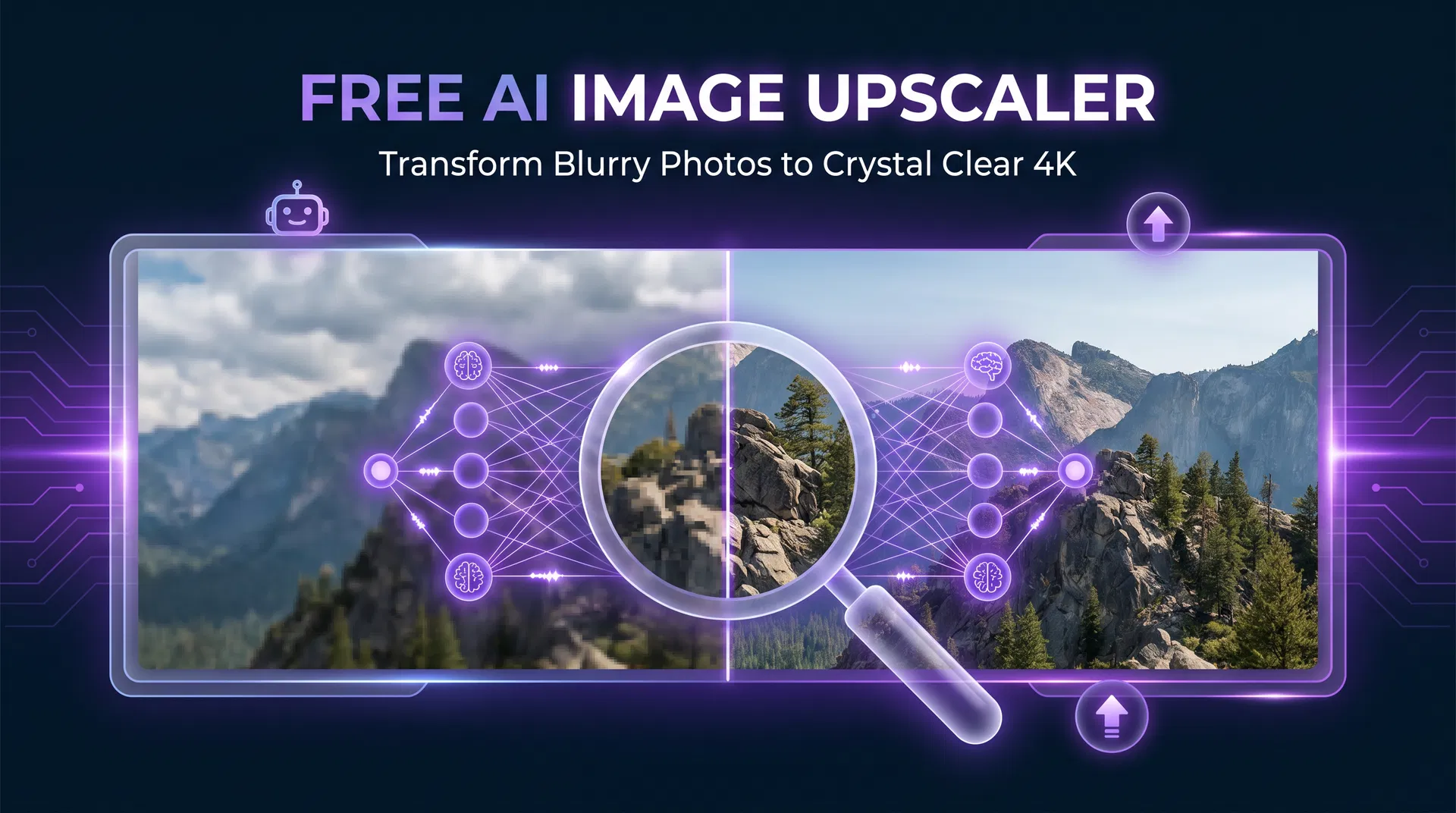
Free AI Image Upscaler: Enhance Photo Quality Without Losing Detail

Discover how AI-powered image upscaling works, why it beats traditional resizing, and how to use our free tool to enhance any photo to 4K quality instantly.
Optimised Marketing Team
Published 5 May 2026
9 min read
7 views
Free AI Image Upscaler: Enhance Photo Quality Without Losing Detail
<article class="blog-content"> <p class="lead">You've found the perfect product photo, but it's too small for your website banner. Your client's logo is only available as a tiny PNG. Your old portfolio images look blurry at modern screen resolutions. These are problems that used to require expensive software or a professional retoucher. Today, <strong>AI image upscaling</strong> solves all of them — for free, in seconds.</p> <p>Our <a href="/ai-tools/image-upscaler">free AI image upscaler</a> uses advanced machine learning models to intelligently enlarge images by up to 4×, reconstructing fine detail that traditional resizing algorithms simply invent as blur. The results are genuinely impressive — and the tool is completely free to use.</p> <h2>Why Traditional Image Resizing Fails</h2> <p>When you resize an image using conventional methods — whether in Photoshop, Microsoft Paint, or a basic online tool — the software has to invent new pixels to fill the gaps. It does this using mathematical interpolation: averaging the colours of neighbouring pixels to estimate what the new pixels should look like. The result is a larger image that looks soft, blurry, and lacks the sharpness of the original.</p> <p>This is why "just make it bigger" has never been a satisfying answer in design and photography. The physics of digital images mean that you cannot add detail that wasn't there to begin with — at least, not with traditional methods.</p> <h2>How AI Upscaling Is Different</h2> <p>AI upscaling takes a fundamentally different approach. Instead of inventing pixels mathematically, it uses a neural network trained on millions of high-resolution images to <em>predict</em> what the missing detail should look like. The model has learned, from vast training data, what edges, textures, faces, text, and fine details look like at high resolution — and it applies that knowledge to reconstruct them from a low-resolution source.</p> <p>The difference in output quality is dramatic. Where traditional upscaling produces blur, AI upscaling produces sharp edges, clear textures, and realistic fine detail. It's not perfect — the AI is making educated guesses — but for the vast majority of use cases, the results are indistinguishable from a genuinely high-resolution original.</p> <h2>What Our Free AI Image Upscaler Can Do</h2> <p>Our <a href="/ai-tools/image-upscaler">image upscaler tool</a> offers several processing modes, each optimised for different types of content:</p> <table> <thead> <tr><th>Mode</th><th>Best For</th><th>What It Does</th></tr> </thead> <tbody> <tr><td><strong>Texture</strong></td><td>General photography, landscapes</td><td>Enhances natural textures and fine detail</td></tr> <tr><td><strong>Matte</strong></td><td>Portraits, smooth surfaces</td><td>Preserves smooth tones while sharpening edges</td></tr> <tr><td><strong>Anime</strong></td><td>Illustrations, artwork, graphics</td><td>Optimised for drawn content and flat colours</td></tr> <tr><td><strong>Face Enhance</strong></td><td>Portrait photography</td><td>AI-powered facial detail reconstruction</td></tr> </tbody> </table> <p>You can upscale to 2×, 3×, or 4× the original dimensions, with optional AI enhancement, sharpness control, and noise reduction. The before/after comparison slider lets you see exactly what the AI has done to your image before you download.</p> <h2>Real-World Use Cases for Image Upscaling</h2> <h3>E-Commerce Product Photography</h3> <p>Product images are one of the most critical factors in e-commerce conversion rates. Research consistently shows that larger, higher-quality product images lead to more sales. If your product photos were taken on an older camera or phone, AI upscaling can bring them up to the resolution standards expected by modern e-commerce platforms — without a costly reshoot.</p> <h3>Print and Marketing Materials</h3> <p>Print requires significantly higher resolution than digital display. A standard web image at 72 DPI will look pixelated when printed at A4 or larger. AI upscaling can bring many web-resolution images up to print-ready quality, saving the cost of re-sourcing or reshooting assets.</p> <h3>Social Media and Digital Advertising</h3> <p>Different platforms have different optimal image dimensions. An image that looks fine on Instagram may appear blurry when used as a Facebook cover photo or LinkedIn banner. AI upscaling lets you adapt a single source image to multiple formats without quality loss.</p> <h3>Archival and Historical Images</h3> <p>Old photographs, scanned documents, and archival images are often low resolution by modern standards. AI upscaling can dramatically improve the clarity and usability of these images for websites, presentations, and publications.</p> <h3>Logo and Brand Asset Enhancement</h3> <p>If you only have a small raster version of your logo (PNG or JPEG) and no vector original, AI upscaling can improve its quality for use in larger formats. For the best results, we recommend converting to SVG after upscaling, which our <a href="/services/website-development">web development team</a> can assist with.</p> <h2>How to Use the Free AI Image Upscaler</h2> <h3>Step 1: Upload Your Image</h3> <p>Drag and drop your image onto the upscaler, or click to browse your files. The tool accepts JPEG, PNG, and WebP formats up to 10MB.</p> <h3>Step 2: Choose Your Settings</h3> <p>Select your desired scale factor (2×, 3×, or 4×), processing mode, and any additional enhancements. For most photos, the Texture mode at 4× with default sharpness settings produces excellent results.</p> <h3>Step 3: Process and Compare</h3> <p>Click Upscale and wait for the AI to process your image. Processing typically takes 15–60 seconds depending on the image size and scale factor. Once complete, use the before/after slider to compare the original and upscaled versions.</p> <h3>Step 4: Download</h3> <p>If you're happy with the result, click Download to save your upscaled image. You can also share a link to your result or re-process with different settings.</p> <h2>Tips for the Best Upscaling Results</h2> <p>AI upscaling works best when the source image has reasonable quality to begin with. Here are some tips to get the most out of the tool:</p> <p><strong>Start with the best available source.</strong> Even if your image is small, use the highest-quality version you have. A sharp 500px image will upscale better than a blurry 800px image.</p> <p><strong>Choose the right mode.</strong> The Texture mode is excellent for most photography, but if you're upscaling a portrait, enabling Face Enhance will produce noticeably better results on facial features.</p> <p><strong>Use noise reduction for older images.</strong> Scanned photos and images from older cameras often have grain or noise that gets amplified during upscaling. The noise reduction slider can help manage this.</p> <p><strong>Don't over-sharpen.</strong> The sharpness slider defaults to a moderate level that works well for most images. Pushing it too high can create artificial-looking halos around edges.</p> <h2>Frequently Asked Questions</h2> <h3>Is the image upscaler really free?</h3> <p>Yes. Our <a href="/ai-tools/image-upscaler">AI image upscaler</a> is completely free to use with no sign-up required. There are no watermarks on your output images and no usage limits.</p> <h3>What's the maximum image size I can upscale?</h3> <p>The tool accepts images up to 10MB. For very large images, we recommend starting with a 2× scale to manage processing time and output file size.</p> <h3>Will AI upscaling make my image look fake?</h3> <p>For most images, AI upscaling produces natural-looking results that are difficult to distinguish from genuine high-resolution originals. The AI is trained on millions of real images and has learned to reconstruct realistic detail. Results vary depending on the source image quality and content type.</p> <h3>Can I upscale images for commercial use?</h3> <p>Yes. Images you upscale using our tool are yours to use for any purpose, including commercial applications. However, ensure you have the rights to use the original image before upscaling it.</p> <h3>What file formats does the upscaler support?</h3> <p>The tool accepts JPEG, PNG, and WebP input formats. Output is provided as a high-quality JPEG or PNG.</p> <h2>Try the Free AI Image Upscaler Now</h2> <p>Stop settling for blurry, low-resolution images. Our AI upscaler gives you professional-quality results in seconds — completely free.</p> <p><a href="/ai-tools/image-upscaler" class="cta-link"><strong>→ Use the Free AI Image Upscaler</strong></a></p> <p>Need professional image optimisation as part of a broader digital marketing strategy? Our team combines AI tools with human expertise to deliver results. <a href="/free-audit">Get your free marketing audit</a> today.</p> <h2>Explore More Free Tools</h2> <p>Discover all 12 free tools in our <a href="/ai-tools">AI Tools suite</a>, including our <a href="/ai-tools/qr-code-generator">free QR code generator</a> and <a href="/ai-tools/seo/keyword-checker">free keyword research tool</a>.</p> </article>

Free Tools to Try

Put these strategies into action — no sign-up required

All tools

Want to learn more? Read the Free AI Image Upscaler guide.

Related Articles

View all

Lee Evans

Optimised Marketing Team

AI Marketing Expert

Lee Evans is the founder of Optimised Marketing, a UK-based AI-first digital marketing agency. With over a decade of experience in SEO, PPC, and marketing automation, Lee specialises in combining AI tools with human strategy to deliver measurable results for businesses of all sizes. He has helped 100+ companies improve their online visibility and generate qualified leads through data-driven marketing.

Free AI Consultation

Ready to Transform Your Marketing with AI?

Book a free, no-obligation consultation with our AI marketing experts. We'll analyse your current marketing, identify opportunities, and show you exactly how AI can accelerate your growth.

No sales pressure. No commitment. Just actionable insights you can use immediately.